KDP Publishing Package: Every File Amazon Needs (Checklist)
Skip the theory? Generate a free book preview in about a minute — no signup, no card.
Try it free“Publishing” isn’t one file — it’s a coordinated set of assets that all have to agree with each other. When the interior, cover, and metadata are built and validated together, upload is quick and clean. When they’re assembled in the wrong order, you get rejections. Here’s what a complete package looks like and how to build it.
The three parts of a publishing package
- Print-ready interior — a formatted PDF at your exact trim size, with correct inner/outer margins and a finalized page count.
- Full-wrap cover — back, spine, and front in one file, sized for that page count plus bleed.
- Metadata — title, subtitle, description, author, categories, and keywords.
The order matters: the cover depends on the interior, and the metadata frames both. Build them in that sequence.
Step 1: Finalize the interior
Lock your trim size and complete the interior before touching the cover. Set margins per the margins guide, and don’t change the page count afterward without regenerating the cover. The page count from this step is the input for everything that follows.
Step 2: Build the cover to match
Use the final page count and paper type to size the full-wrap cover with the cover size calculator. Getting this wrong is the most common rejection cause — see cover size mistakes. Keep text and logos in the safe zone and design at full print resolution.
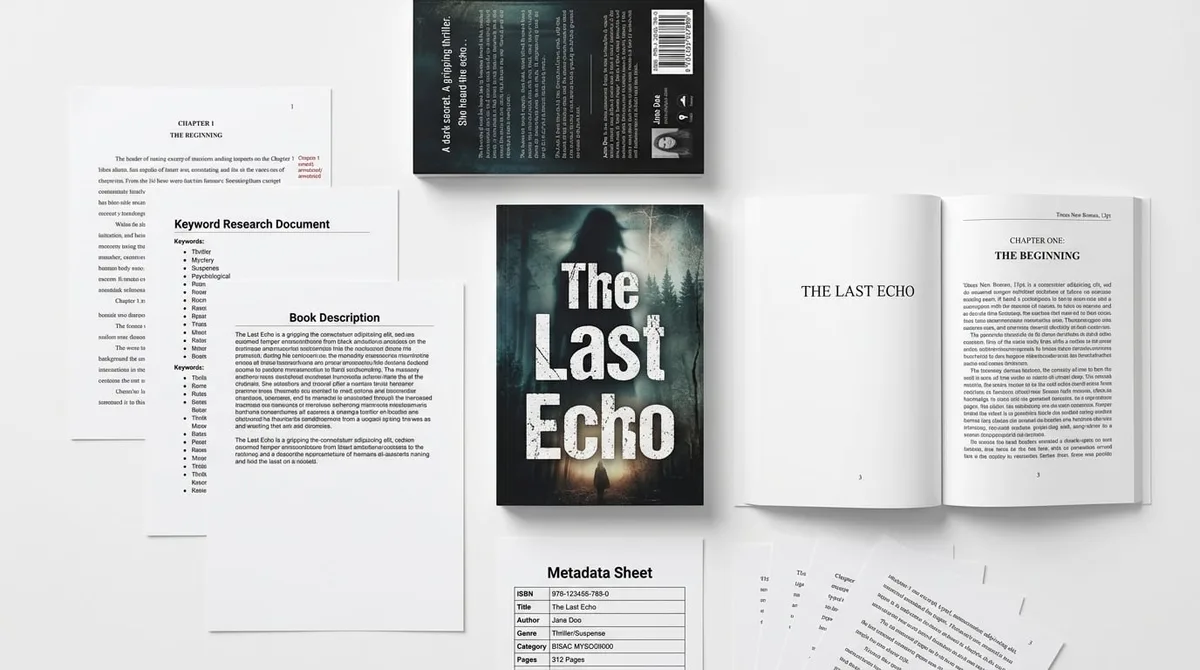
A complete package view: interior PDF, full-wrap cover, and a metadata sheet side by side.
Step 3: Write the metadata
Craft a title and subtitle that are clear and searchable, a description that converts (see the description guide), and choose categories and keywords that match real searches. Treat metadata as part of the product, not paperwork.
Let the package build itself
Assembling these manually invites mismatches. KDP Builder generates the interior, a matching cover, and metadata as one coordinated package — the Nonfiction and Fiction creators both output complete, KDP-ready files. You can inspect a real one in the sample package.
Final check before upload
Run the upload checklist and review the upload guide to confirm dimensions, resolution, and metadata are all consistent. Then preview a proof before you publish.
Frequently Asked Questions
What files do I need to publish on KDP?
At minimum you need a print-ready interior (a properly formatted PDF at your trim size with correct margins), a full-wrap cover sized for your page count, and your metadata — title, subtitle, description, categories, and keywords. eBook editions also need a reflowable manuscript file.
What is a 'publishing package'?
It's the complete set of assets needed to list a book: the interior file, the cover file, and the metadata. Having them assembled and validated together — rather than scattered — makes upload smooth and reduces rejections.
Do interior and cover need to match exactly?
Yes. The cover's spine width and overall dimensions are calculated from the interior's final page count and paper type. If the interior changes, the cover must be regenerated to match, or the upload will fail.
How do I avoid upload errors?
Finalize the interior first, generate the cover from the final page count, confirm metadata and categories, and run through an upload checklist before submitting. Most errors come from mismatched dimensions or missing/low-resolution files.
Turn this idea into a book — free sample
Type a book idea and we'll generate a real cover preview in about a minute. No signup, no card.