KDP Cover Size Mistakes That Get Books Rejected
Skip the theory? Generate a free book preview in about a minute — no signup, no card.
Try it freeA rejected cover is almost always a sizing problem, not an art problem. The good news: every one of these errors is preventable with a few minutes of setup. Here are the mistakes that get covers bounced — and the exact fix for each.
Mistake 1: The cover doesn’t match the page count
A print cover is a single full-wrap file: back cover, spine, and front cover in one image. The spine width depends entirely on your page count and paper type — add pages and the spine gets wider. Designing the spine before the interior is finalized, or guessing the width, leads to misaligned text and rejection.
Fix: Finalize your interior first, then calculate spine width with the spine width calculator. Recalculate any time the page count changes.
Mistake 2: Wrong full-wrap dimensions
Many first covers are sized to the front only (e.g., 6 x 9) instead of the full wrap. The full file must include back + spine + front plus bleed on all outer edges. Get the precise width and height from the cover size calculator using your trim size, page count, and paper type.
Cover size calculator output: full-wrap width, height, spine width, and bleed for a given page count.
Mistake 3: Missing or insufficient bleed
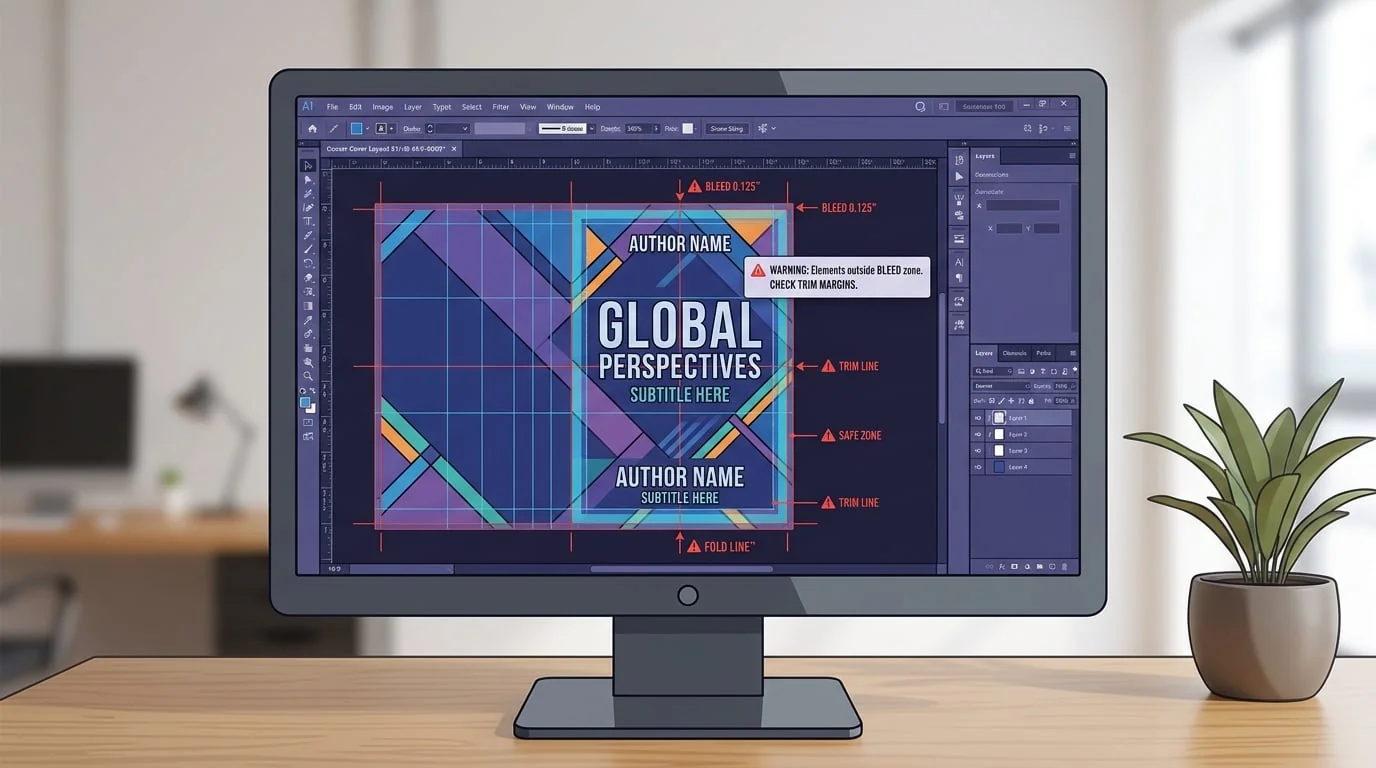
Print covers need bleed — typically 0.125 in beyond the trim on each outer edge — so the cutting process never leaves white edges. Backgrounds and full-bleed art must extend into the bleed zone, while text and logos must stay inside the safe area. The bleed and margins guide shows the exact measurements.
Mistake 4: Text or logos too close to the spine or trim
Even with correct dimensions, elements placed near the spine folds or trim edge can get cut or wrap awkwardly. Keep titles, author names, and logos well inside the safe zone. The paperback cover template guide walks through laying out the three panels safely.
Mistake 5: Low resolution
A cover that looks crisp on screen can print blurry if it isn’t at least 300 DPI at full print size. Always design at the final print dimensions rather than upscaling a small image. Flatten to the required format before uploading.
Mistake 6: Hardcover and paperback use different specs
Hardcover wraps include extra wrap and hinge allowances that paperbacks don’t. Reusing a paperback cover for a hardcover edition will fail. See the hardcover cover size guide for the differences.
Catch it before you upload
Run an existing cover through the cover analyzer to flag size issues, then walk the upload checklist. If a cover was already rejected, the rejection troubleshooting guide maps symptoms to causes.
Frequently Asked Questions
Why does KDP reject covers for size?
The most common reasons are a cover that doesn't match the book's trim size and page count, missing bleed, an incorrect spine width, or low image resolution. The full wrap cover must be sized for your exact page count because the spine grows as pages are added.
How do I calculate the right cover size?
Use your trim size, page count, and paper type to calculate full wrap width (back + spine + front + bleed) and height (trim + top and bottom bleed). A cover size calculator does this for you. Spine width changes with page count, so recalculate any time the page count changes.
What resolution should a KDP cover be?
Cover artwork should be at least 300 DPI at full print size. Uploading a low-resolution image that looks fine on screen is a frequent cause of blurry print and rejections. Always design at the final print dimensions, not a scaled-down version.
Do I need bleed on a paperback cover?
Yes. Print covers require bleed (typically 0.125 in on each outer edge) so trimming doesn't leave white slivers. Keep important elements like text and logos inside the safe zone, away from both the trim edge and the spine folds.
Turn this idea into a book — free sample
Type a book idea and we'll generate a real cover preview in about a minute. No signup, no card.