
Create Professional Nonfiction Books with AI
AI-assisted outlines, chapter drafts, research organization, and KDP-ready formatting. Self-help, how-to, educational, and expertise books — from idea to published.
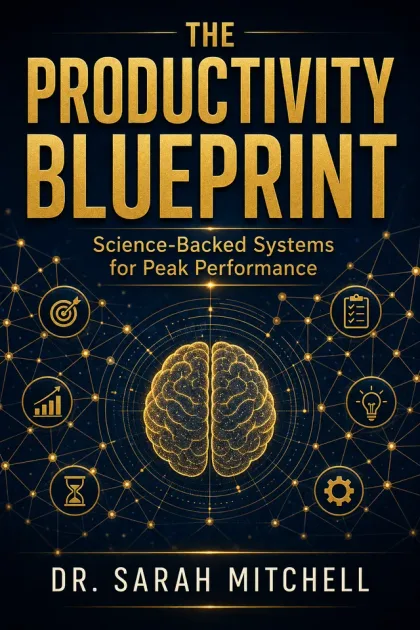
Built for Nonfiction Books Creators
Subject-Matter Experts
You have the knowledge — KDP Builder helps you organize and publish it. Turn expertise into a book without months of writing.
Coaches & Consultants
Publish a book to establish authority in your field. A published book is the strongest credibility signal for coaches.
Educators & Researchers
Organize research, lectures, or curriculum into a published book. Share knowledge with a broader audience.
KDP Nonfiction Publishers
Nonfiction books earn higher royalties than low-content. Build a catalog of expertise-based books across niches.
First-Time Authors
Never written a book? AI-guided outlining and chapter drafting makes the process structured and manageable.
Niche Topic Authors
Beekeeping, tiny homes, intermittent fasting, Stoic philosophy — niche nonfiction finds dedicated Amazon audiences.
Everything You Need for Nonfiction Books
Professional-quality output that meets Amazon KDP standards, every time.
AI-Guided Outlining
Describe your topic and audience. AI generates a structured outline with chapter titles, key points, and logical flow you refine.
Chapter Draft Assistance
AI helps draft chapters based on your outline, key points, and voice. You provide expertise; AI accelerates the writing.
Reader Promise Framework
Every strong nonfiction book starts with a clear promise. AI helps you define what the reader will achieve by finishing your book.
Research Organization
Structure research notes, statistics, and references into a coherent narrative. AI helps organize disparate information.
Professional Formatting
Table of contents, chapter headers, front/back matter, page numbers, and proper typography. KDP-compliant layout.
Complete KDP Package
Interior PDF, cover, paperback wrap, 7 keywords, book description, and upload checklist. Everything for publishing.
From Idea to KDP-Ready ZIP
A structured, guided pipeline — not a chatbot.
Define Topic & Reader Promise
Describe your book's topic, target reader, and the transformation you're offering. This frames the entire book.
AI Generates Outline
A structured chapter-by-chapter outline with key points, examples, and logical progression. You refine and approve.
Chapters Drafted
AI assists in drafting each chapter based on the outline. You add expertise, anecdotes, and your unique voice.
Interior PDF Formatted
Professional layout with TOC, chapter headers, front/back matter, and proper margins for KDP printing.
Cover & Metadata Created
Genre-appropriate cover, spine, full wrap, 7 keywords, BISAC categories, and a compelling book description.
Download Your ZIP
Complete publishing package: interior PDF, covers, metadata, and KDP upload checklist.
What Creators Build
Self-Help / Personal Development
Books on habits, mindset, productivity, relationships, or confidence. The largest nonfiction KDP category with massive search volume.
How-To / DIY Guide
Step-by-step guides on practical skills: woodworking, gardening, home repair, cooking techniques, crafting.
Health & Wellness Book
Nutrition guides, fitness plans, mental health resources, alternative medicine. A growing Amazon category.
Business & Entrepreneurship
Startup guides, marketing strategies, leadership principles, side-hustle playbooks. Targets professional readers.
Niche Expertise Book
Beekeeping, sourdough baking, RV living, tiny homes — hyper-specific topics attract passionate, purchasing-ready readers.
Educational Reference
Study guides, exam prep, skill-building references. Evergreen content with consistent student demand.
What's in Your Download
One click, one ZIP. Everything Amazon KDP needs, ready to upload.
Don't Let These Trip You Up
No clear reader promise in the title/subtitle
AI helps craft a title and subtitle that clearly communicate what the reader will learn or achieve.
Disorganized chapters with no logical flow
AI outlining ensures each chapter builds on the previous one with clear progression toward the reader promise.
Too broad a topic (trying to cover everything)
The reader promise framework focuses your book on a specific transformation, not an encyclopedia of everything.
Poor metadata making the book invisible on Amazon
7 researched keywords, proper BISAC categories, and a description optimized for Amazon's search algorithm.
Cover that looks self-published
AI generates genre-appropriate covers that match the design conventions nonfiction readers expect on Amazon.
The Reader Promise: Nonfiction's Most Important Element
Edit your nonfiction books after they are generated
Yes. Every book a creator page produces stays editable. Text is revised in the Manuscript Editor, interior pages are adjusted on a print-accurate canvas in the Interior Design Studio, and covers are edited layer by layer in the Cover Design Studio. Manual edits are included with every account; AI-powered actions inside the editors use credits.
- Included
Manuscript Editor
Revise the generated text chapter by chapter before it is typeset.
- Find and replace across the whole manuscript
- Clean paste from Word documents
- Undo/redo with keyboard shortcuts and a live word count
- Chapter, title and subtitle renames without regenerating
- Included
Interior Design Studio
Adjust interior pages on a canvas that mirrors the printed page.
- Live trim, bleed and safe-area guides for KDP trim sizes
- Move, resize and restyle text and image elements
- 100+ fonts and page-level layout controls
- Exports at 300 DPI in the trim size you chose
- Included
Cover Design Studio
Edit the front, spine and back of a generated cover as separate layers.
- Text, art and background layers stay individually editable
- Spine width follows page count and paper type
- Barcode and safe-zone overlays match KDP print templates
- Included
Importing your own files
Bring an existing PDF, image or manuscript into the editors.
- Imported PDF and image pages open as a locked base layer; the original stays flattened and you add editable elements on top
- Editable Import is a separate AI step that decomposes a finished cover or page into editable text and art layers
- Manuscripts (DOCX/text) import as editable chapters
- Uses credits
AI actions inside the editors
Optional generative tools you can invoke while editing.
- Magic Erase and Magic Expand
- Background removal and AI-generated elements
- Editable Import decomposition and per-page regeneration
- Each action shows its credit cost before it runs
Known limits
- A flattened import (PDF page or image) cannot be edited underneath: the base layer is locked and edits are added on top of it.
- Turning a flattened design into layers requires the separate Editable Import step, which uses credits and is best-effort on complex artwork.
Profitable nonfiction books niches to build first
Every niche below is broken down in our research guides — why demand exists right now, how crowded the shelf really is, the keywords buyers type, trim size, page count, and title ideas you can take straight into a project.
Keep Learning
Business and entrepreneurship focused books.
Personal stories and life narratives.
Companion workbooks for your nonfiction book.
Generate compelling nonfiction title ideas.
Write a high-converting Amazon description.
Ensure your book passes KDP review.
Also build these with the same account
Your credits work across every book type. Most publishers who start with nonfiction books end up running two or three formats side by side.
Turn expertise into an authority book: frameworks, case studies and a professional 6x9 interior.
Illustrated picture books with a consistent character cast, age-graded text and square trims.
Clean line-art coloring pages at 8.5x11 with single-sided layout and print-safe margins.
Recipe books with consistent ingredient blocks, scaled yields and photo or illustration slots.
Themed crossword grids with clean clue columns, difficulty tiers and full answer keys.
Plotted novels with chapter structure, consistent POV and a genre-correct cover treatment.
Guided journals with themed prompts, tracking spreads and premium 6x9 layouts.
Logbooks, trackers and keepsakes: repeating grids, headers and KDP-safe gutters.
Life-story books with chronological structure, scene-level detail and a keepsake feel.
Dated and undated planners with repeating weekly and monthly spreads at 8.5x11.
Mixed puzzle books: word search, sudoku, crossword, mazes and logic, with answer keys.
Graded sudoku books with verified unique solutions and large-print grid options.
Themed word search books with readable grids, word banks and complete answer keys.
Practice workbooks with exercises, answer space and progressive difficulty.