
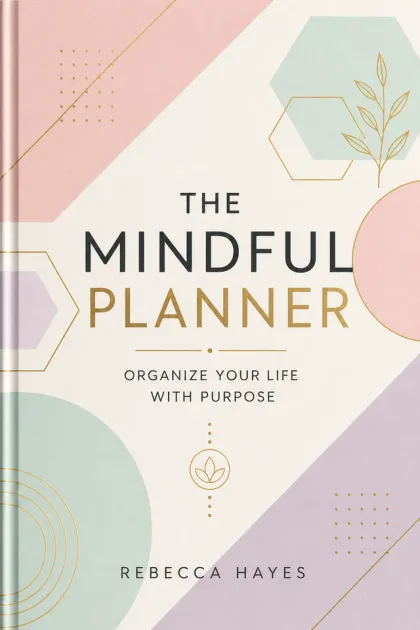
Built for Planners Creators
Planner Enthusiasts
Design the planner you've always wanted — your preferred layouts, sections, and tracking features. Then sell it on Amazon.
KDP Planner Publishers
Dated planners have a built-in replacement cycle. Buyers need a new one every year. Build your brand and they return annually.
Academic Publishers
Student planners with school-year dates, class schedules, assignment trackers, and exam prep pages. Parents buy these every August.
Productivity Coaches
Create branded planners as companion products to your coaching practice. Goal-setting frameworks built into every month.
Niche Planner Creators
Fitness planners, wedding planners, budget planners, homeschool planners — each niche has dedicated Amazon buyers.
Gift Season Sellers
Planners are top-selling gifts in Q4. Beautiful covers + functional layouts = reliable holiday revenue.
Everything You Need for Planners
Professional-quality output that meets Amazon KDP standards, every time.
Pre-Dated Pages
All dates, days, and months pre-printed for your selected year and range. Calendar or academic year supported.
Weekly & Monthly Spreads
Monthly calendar views, weekly planning layouts with time blocks, and daily sections. You choose which to include.
Goal & Review Pages
Monthly goal-setting sections, quarterly reviews, and year-end reflection pages. Adds structure and premium value.
Habit Trackers
Monthly habit tracking grids where users mark daily habits. One of the most requested planner features.
Flexible Layouts
Mix and match: weekly spreads, monthly views, notes pages, goal pages, trackers. Build exactly the planner your niche wants.
Complete KDP Package
Interior PDF, cover, paperback wrap, keywords, description, and checklist. Everything in one download.
From Idea to KDP-Ready ZIP
A structured, guided pipeline — not a chatbot.
Choose Year & Date Range
Select calendar year (Jan–Dec), academic year (Jul–Jun), or custom date range. Choose the target year.
Select Layouts
Pick your combination: monthly calendars, weekly spreads, daily pages, goal sections, habit trackers, notes.
AI Generates Dated Interior
All pages are generated with correct dates, day names, and month labels for your selected range.
Interior PDF Assembled
Pages are laid out with proper margins, binding gutter, and consistent formatting throughout.
Cover & Metadata Created
Year-branded cover, calculated spine, full wrap PDF, plus description and keywords.
Download Your ZIP
Ready to upload to Amazon KDP. Interior, covers, metadata, and checklist included.
What Creators Build
2027 Weekly Planner
January–December with weekly spreads, monthly calendars, and notes pages. List by September 2026 to catch early buyers.
Academic Student Planner
July–June with class schedule pages, assignment trackers, and exam prep sections. Target back-to-school shoppers.
Fitness & Workout Planner
Monthly fitness goals, weekly workout scheduling, measurement tracking, and meal planning pages. Active lifestyle niche.
Budget & Finance Planner
Monthly budget worksheets, expense trackers, savings goals, and debt payoff charts. Personal finance niche.
Wedding Planning Book
Checklist pages, vendor contacts, budget tracker, timeline, and notes. Brides buy these 12–18 months before the wedding.
Homeschool Planner
Lesson planning, curriculum tracking, attendance logs, and grade recording. The homeschool market is growing steadily.
What's in Your Download
One click, one ZIP. Everything Amazon KDP needs, ready to upload.
Don't Let These Trip You Up
Wrong dates or missing days in the calendar
AI-generated dates are algorithmically correct. Every day, week, and month is verified for accuracy.
Weekly layouts that don't align with monthly calendars
All layouts are generated from the same date engine, ensuring perfect alignment across views.
Publishing a 2027 planner in January 2027 (too late)
Create and list planners 3–4 months early. Buyers shop for planners in September–November.
Not enough writing space in weekly spreads
8.5×11 trim gives ample space. Weekly layouts are optimized for practical writing, not just decoration.
Cover that doesn't display the year prominently
AI covers prominently feature the year so buyers immediately know it's current. This is critical for planner sales.
The Annual Planner Business on Amazon
Edit your planners after they are generated
Yes. Every book a creator page produces stays editable. Text is revised in the Manuscript Editor, interior pages are adjusted on a print-accurate canvas in the Interior Design Studio, and covers are edited layer by layer in the Cover Design Studio. Manual edits are included with every account; AI-powered actions inside the editors use credits.
- Included
Manuscript Editor
Revise the generated text chapter by chapter before it is typeset.
- Find and replace across the whole manuscript
- Clean paste from Word documents
- Undo/redo with keyboard shortcuts and a live word count
- Chapter, title and subtitle renames without regenerating
- Included
Interior Design Studio
Adjust interior pages on a canvas that mirrors the printed page.
- Live trim, bleed and safe-area guides for KDP trim sizes
- Move, resize and restyle text and image elements
- 100+ fonts and page-level layout controls
- Exports at 300 DPI in the trim size you chose
- Included
Cover Design Studio
Edit the front, spine and back of a generated cover as separate layers.
- Text, art and background layers stay individually editable
- Spine width follows page count and paper type
- Barcode and safe-zone overlays match KDP print templates
- Included
Importing your own files
Bring an existing PDF, image or manuscript into the editors.
- Imported PDF and image pages open as a locked base layer; the original stays flattened and you add editable elements on top
- Editable Import is a separate AI step that decomposes a finished cover or page into editable text and art layers
- Manuscripts (DOCX/text) import as editable chapters
- Uses credits
AI actions inside the editors
Optional generative tools you can invoke while editing.
- Magic Erase and Magic Expand
- Background removal and AI-generated elements
- Editable Import decomposition and per-page regeneration
- Each action shows its credit cost before it runs
Known limits
- A flattened import (PDF page or image) cannot be edited underneath: the base layer is locked and edits are added on top of it.
- Turning a flattened design into layers requires the separate Editable Import step, which uses credits and is best-effort on complex artwork.
Profitable planners niches to build first
Every niche below is broken down in our research guides — why demand exists right now, how crowded the shelf really is, the keywords buyers type, trim size, page count, and title ideas you can take straight into a project.
Keep Learning
Guided journals with writing prompts.
Notebooks, log books, and trackers.
Structured workbooks with exercises.
Calculate dimensions for your planner cover.
Proper margins for planner interiors.
Write a compelling planner listing description.
Also build these with the same account
Your credits work across every book type. Most publishers who start with planners end up running two or three formats side by side.
Turn expertise into an authority book: frameworks, case studies and a professional 6x9 interior.
Illustrated picture books with a consistent character cast, age-graded text and square trims.
Clean line-art coloring pages at 8.5x11 with single-sided layout and print-safe margins.
Recipe books with consistent ingredient blocks, scaled yields and photo or illustration slots.
Themed crossword grids with clean clue columns, difficulty tiers and full answer keys.
Plotted novels with chapter structure, consistent POV and a genre-correct cover treatment.
Guided journals with themed prompts, tracking spreads and premium 6x9 layouts.
Logbooks, trackers and keepsakes: repeating grids, headers and KDP-safe gutters.
Life-story books with chronological structure, scene-level detail and a keepsake feel.
Structured how-to and reference books with real chapter logic and a clean 6x9 interior.
Mixed puzzle books: word search, sudoku, crossword, mazes and logic, with answer keys.
Graded sudoku books with verified unique solutions and large-print grid options.
Themed word search books with readable grids, word banks and complete answer keys.
Practice workbooks with exercises, answer space and progressive difficulty.