Best AI Tools for KDP by Job in 2026

Skip the theory? Generate a free book preview in about a minute — no signup, no card.
Try it freeThe best AI tools for KDP in 2026 are not the apps that generate the most words or the prettiest single image. They are the tools that help you finish the specific job Amazon KDP actually requires: a researched book idea, a coherent manuscript or interior, a correctly sized cover, clean metadata, and upload-ready files.
If you are choosing software at the bottom of the funnel, do not ask, “Which AI tool is best?” Ask, “Which tool removes the most production risk between idea and KDP upload?” That is the difference between a prompt toy and a publishing workflow. Amazon KDP paperback royalties are commonly 60% of list price minus printing costs in standard Amazon marketplaces, while expanded distribution is typically 40% minus printing costs, so sloppy formatting, cover rebuilds, and weak file prep can eat the margin before the book ever sells.
This guide compares the best AI tools for KDP by job: research, writing, coloring book interiors, cover sizing, cover design, metadata, formatting, and publish-ready file creation.
Best AI Tools for KDP Publishing in 2026: The Shortlist
The cleanest comparison is by production job, not by the headline on a software homepage.
| Job | Best-fit tool type | Where KDPBuilder fits | When a standalone tool may be enough |
|---|---|---|---|
| Research and idea validation | AI research assistant, keyword tool, niche scanner | Turns raw ideas into a publishable plan with supporting metadata | Yes, for quick topic checks and note-taking |
| Manuscript drafting | General AI writer or publishing workflow tool | Stronger when structure, consistency, and exportable assets matter | Yes, if you already have a strong outline and editorial process |
| Coloring book interiors | Image generator or interior-focused design workflow | Better for cohesive, print-aware interiors instead of random image batches | Yes, for isolated art assets with manual cleanup |
| Cover sizing | KDP calculator, trim-size utility, template generator | Supports complete packaging and file prep around the final book specs | Yes, if you only need a template number |
| Cover design | Layout app, AI image tool, cover editor | Useful when cover, interior, and listing promise need to align | Yes, for experienced designers who only need one asset |
| Metadata and listing copy | AI copy assistant, keyword tool | Connects title, subtitle, description, keywords, and category picks to the book concept | Yes, if you already understand KDP positioning |
| Formatting and export | Document formatter, publishing studio | Strong fit for KDP-ready files, not just drafts | Yes, for authors who only need a basic PDF export |
Bottom line: no cheap generator reliably replaces editing judgment, cover composition, KDP file prep, and metadata strategy. A single-purpose app can help with one task. A production workflow is what gets a book to the upload stage with fewer handoffs.
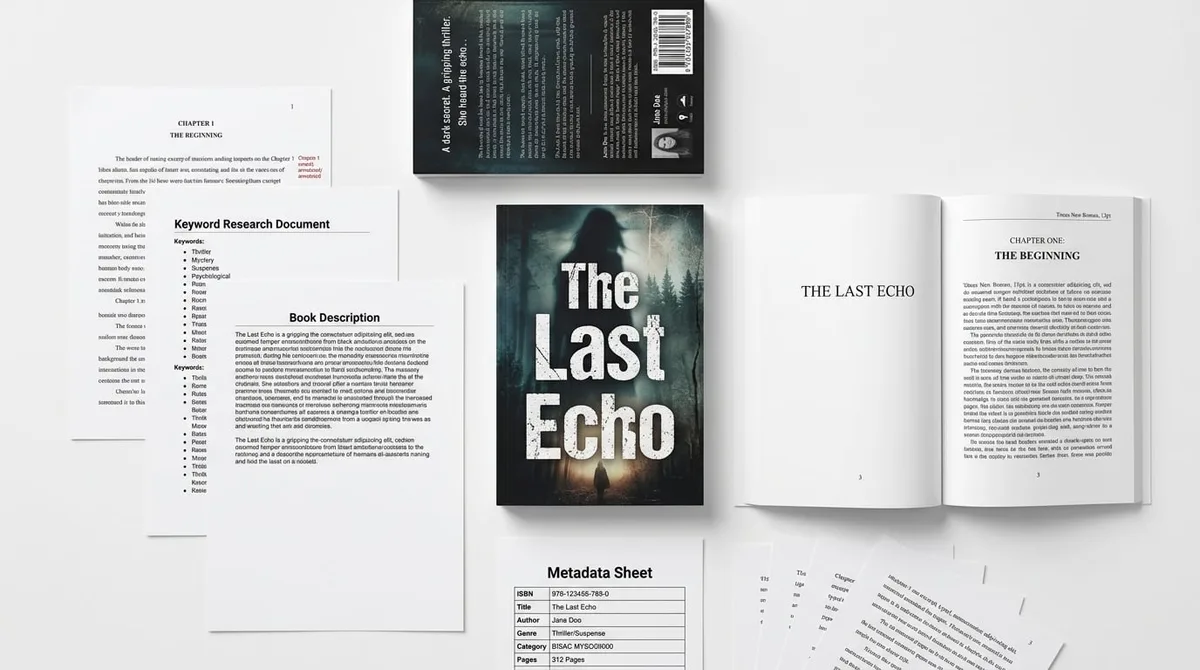
A KDPBuilder publishing package includes the print-ready interior PDF, full-wrap cover at 300 DPI with front, spine, and back, ebook file, and a metadata sheet with title, subtitle, description, 7 keywords, and category picks — the exact asset set KDP’s upload flow asks you to prepare. See what’s in a publishing package.
Best all-in-one KDP publishing studio
If you want one environment that can carry a project from idea to publish-ready files, a publishing studio is the strongest fit. The advantage is not speed alone; it is that the outputs are designed to work together. That reduces handoff errors between text, cover sizing, interior formatting, and listing copy.
This is where KDPBuilder fits best for publishers who want more than isolated prompts. It is a workflow layer for building a book package, not just a text generator.
Best free tools for quick checks
Free tools are most useful for validation tasks: checking trim size math, previewing a cover template, or reviewing a manuscript layout before upload. They are not usually enough for a full production workflow, but they can prevent obvious mistakes.
If your project is simple, a free calculator and a basic design tool may be enough for one-off tasks. If you publish regularly, the hidden cost is time spent moving files between tools. For quick math and preflight checks, Free KDP Tools can cover narrow utility tasks before you commit to a full workflow.
Best specialist tools for one-off tasks
Specialist tools are best when you need one job done well: a keyword pass, a cover mockup, or a basic illustration set. They can be cheaper than a full studio, but they become inefficient when you need repeated revisions or multiple file formats.
Use specialists for narrow tasks. Use a studio when the goal is a complete KDP package that looks designed, consistent, and ready for final review.
How to Choose KDP Software in 2026
Choose KDP software by output quality, KDP compliance support, repeatability, commercial-use clarity, and whether the final book looks designed. A tool that is fast but inconsistent creates more cleanup than it saves. If you are weighing multiple stacks, compare publishing tools against your actual workflow, not just the headline feature list.
- Check the output: Does the tool create text, images, or layouts that look like real book assets?
- Check the rules: Can you use the generated material commercially, and can you document rights to the assets?
- Check the export: Can it produce print-safe files, not just drafts or previews?
- Check repeatability: Can you recreate the same quality on the next book in the series?
- Check the full workflow cost: Add the subscription, cleanup time, and outside tools before comparing price.
That last step matters for BOFU buyers. Comparing monthly subscription prices alone hides the real cost of switching tools, rebuilding covers, reformatting files, and rechecking assets.
| Decision factor | What to look for | Why it matters for KDP |
|---|---|---|
| Output quality | Book-ready text, images, or layouts | Reduces cleanup before upload |
| File export | Print PDF, cover PDF, ebook export, or metadata export | Shortens the path to KDP submission |
| Rights clarity | Commercial-use terms and provenance tracking | Helps you document what was used |
| Repeatability | Consistent results across multiple books | Matters for series and batch publishing |
| Workflow fit | Research, draft, design, and preflight in one process | Reduces handoffs and missed details |
Output quality matters more than generation speed
Fast generation is useful only if the result is usable. A quick draft still needs structure, consistency, and reader-promise alignment. A cover image still needs typography, hierarchy, genre signaling, and trim-safe margins.
The right question is not “How fast can it produce content?” The better question is “How much of this file can I keep without rebuilding it?”
Check commercial rights and asset provenance
Before you publish, confirm that you have the rights to every text block, image, font, and template element in the book. KDP requires publishers to disclose AI-generated content during title setup when applicable, and publishers remain responsible for ensuring they have the rights to all uploaded text, images, and files.
- Save the tool’s commercial-use terms.
- Track which assets were AI-generated and which were human-made.
- Avoid prompts or assets that imitate copyrighted characters, logos, celebrities, or brand styles.
- Keep source files and export versions in a project folder so you can trace what went into the final package.
Look for export-ready KDP files
The best software does not stop at generation. It should help you create interior PDFs, cover PDFs, ebook files, and listing copy that can be checked before upload. That is the difference between a draft tool and a publishing tool.
If the tool cannot produce final-format exports, you will spend more time converting files than creating them.
Best AI Tool for KDP Research and Book Ideas
For research and idea validation, the best AI tools for KDP help you map niches, estimate reader expectations, and position a book against existing competition. They should answer practical questions: What are readers already buying? What promise does the title make? What format is expected? What would make this book meaningfully different?
Use AI to spot patterns, not to blindly copy low-content trend pages or chase saturated niches without context. A good idea still needs evidence.
What AI can help with: topic clustering, competitor summaries, angle generation, subtitle options, audience language, and outline comparisons.
What still needs human judgment: originality, compliance, differentiation, and whether the book can realistically satisfy the reader promise. A niche can look active and still be a poor fit if the top results all look interchangeable.
Practical example: if you want to publish a guided journal, use AI to identify common page counts, subtitle patterns, prompt styles, and customer expectations. Then decide whether your version has a clearer use case, stronger structure, or better design. A “daily gratitude journal for everyone” is weak; a 90-day guided journal for new nurses after night shifts has a sharper reader, clearer tone, and more specific design requirements.
When deciding whether to rely on one app or build a stack, use KDPBuilder’s publishing tool comparison to judge workflow fit instead of comparing feature lists in isolation.
Best AI Tool for Manuscripts and Book Structure
General AI writers can draft quickly, but a manuscript still needs structure, editorial direction, consistency checks, and alignment with the reader promise. That is why the best AI tools for KDP are not the ones that simply write the most words.
The core distinction is simple: a prompt tool writes text, while a publishing workflow shapes a book. If your draft lacks chapter logic, repeats itself, or wanders away from the promised outcome, the book will feel assembled instead of authored.
When ChatGPT is enough
ChatGPT can be enough when you already know the outline, audience, and intended outcome. It works well for brainstorming section titles, simplifying explanations, and generating first-pass copy that you will revise heavily.
It is most useful when the content is narrow, factual, and easy to validate. Even then, you still need to check for repetition, generic phrasing, unsupported claims, and sections that sound polished but say little.
When a publishing studio is safer
A publishing studio is safer when the manuscript has to connect to cover design, metadata, formatting, and export files. That is especially true for series books, workbooks, journals, planners, and low-content formats where consistency matters across multiple assets.
See KDPBuilder vs ChatGPT for KDP publishing when comparing prompt-only drafting against a full workflow. The practical difference is fewer handoffs and fewer places where the book can drift off-brand.
Best AI Coloring Book Generator and Interior Tool
People search for an AI coloring book generator, coloring book AI, coloring book maker, and coloring book generator because they want interior art quickly. But coloring book interiors are not just images; they are print assets that must be consistent, clean, and appropriate for the intended age group.
The best tool for this job creates pages with stable line quality, clear subject matter, and predictable formatting. It should help you avoid odd composition, broken outlines, over-detailed backgrounds, and mixed styles that make the book feel generated.
What to inspect before uploading coloring book interiors
- Line clarity: Are outlines clean enough to print well at final size?
- Style consistency: Do all pages belong to the same visual family?
- Age fit: Is the complexity right for kids, teens, or adults?
- Bleed awareness: Are margins and page edges safe for print?
- File readiness: Can you export a PDF that matches the selected KDP trim size?
- Theme discipline: Does every page support the same promise, or is it a random image set?
These checks matter because a page that looks fine on screen can print poorly if the linework is too thin, the design sits too close to the edge, or the style shifts every few pages.
Why generated pages often look inconsistent
Generated pages can vary in style, perspective, and visual density from one page to the next. That inconsistency is one of the quickest signs that a coloring book was assembled too fast. The result is often a book that feels like a pile of images rather than a designed interior.
KDPBuilder fits better when you want designed interiors rather than mass-generated pages. The goal is not volume; it is a cohesive book that looks intentional from page one to the final activity page.
Best KDP Cover Creator and Cover Size Calculator Workflow
If you are searching for a KDP cover creator, cover creator, KDP cover size calculator, book cover calculator, or KDP cover calculator, you are really solving two problems: sizing and design. One tool checks dimensions. Another tool helps build the visible cover.
Cover math matters because KDP print covers must account for trim size, page count, ink and paper type, bleed, and spine width. Incorrect cover dimensions can trigger upload errors or poor print results.
Why cover size calculators matter
A calculator saves time by turning trim size and page count into a usable template. It helps you avoid guessing spine width or placing text outside safe areas. For print books, that is not optional.
Use the calculator before you start designing, not after. A design built on the wrong template often needs to be rebuilt from scratch. If sizing is the blocker, start with free KDP calculators and tools for a quick preflight pass before you move into design.
Where AI cover generators fail
AI cover generators often produce attractive images that still fail as book covers. The problems usually show up in title hierarchy, genre signaling, spine alignment, back-cover readability, or print-safe margins. A cover can look nice and still be unusable for KDP.
Common failure points: text that is too small, art that runs into the spine, colors that shift in print, layouts that ignore the final trim size, and back covers with no clear description or barcode-safe space.
How to avoid amateur-looking KDP covers
Use a clear workflow: calculate the cover size, design to the template, check spine width, confirm bleed, preview the front, back, and spine together, and only then export the final cover PDF. That sequence reduces the “almost right” look that gives away rushed publishing.
If you need sizing before design, use a calculator-style utility first. If you need the whole package to match — cover, interior, metadata, and export files — move into a publishing workflow.
Best AI Tool for Metadata, Keywords, and Listing Copy
Metadata is where many books win or lose the click. The best AI tools for KDP can draft subtitle ideas, descriptions, categories, and keyword angles, but they should not stuff terms or misrepresent the book.
The listing should match the actual promise of the content. If the book is a workbook, say that. If it is a guided journal, the description should reflect the user outcome, not generic inspiration copy.
Metadata AI can draft: subtitle variants, description structure, reader-benefit bullets, keyword ideas, and alternate positioning angles based on the book’s topic.
Metadata humans should review: category fit, policy risk, keyword stuffing, factual accuracy, and whether the copy overpromises. Misleading metadata can create problems even if the book itself is well made.
Practical rule: one clear promise per book. If your metadata tries to speak to everyone, it usually persuades no one.
Best Tool for Formatting and Publish-Ready KDP Files
The real deliverable is not just text and images. It is publish-ready KDP files. That means a formatted manuscript, a correctly sized cover PDF, ebook file if needed, and a final check that the files match Amazon’s requirements.
A good formatting tool handles manuscript formatting, trim size, margins, bleed, PDF export, cover PDF prep, and quality checks. If it skips these, it is only a partial solution.
Interior file requirements
Your interior file should match the selected trim size, use readable margins, and avoid layout elements that get cut off. For workbooks or interiors with graphics, check that charts, illustrations, writing lines, and page numbers sit safely inside the live area.
Before export, confirm the book has consistent headings, spacing, page breaks, and section openers. Small formatting mistakes become very visible in print.
Cover file requirements
The cover PDF must match the exact trim size, page count, bleed settings, and spine width. Even a small mismatch can affect upload success and print quality. Cover prep is not a guess-and-check task.
A proper workflow uses the final page count before the cover is locked. If the manuscript changes after the cover is built, the spine width changes too.
Pre-upload checks
- Verify trim size and page count.
- Confirm bleed settings for both cover and interior.
- Open the PDF and inspect text edges, images, and page alignment.
- Check for blank pages, orphaned headings, cut-off content, and repeated pages.
- Confirm fonts, images, and templates are cleared for commercial use.
- Review the file in the KDP preview process before publishing.
If you are comparing done-for-you support versus tool subscriptions, use KDPBuilder pricing to compare total workflow cost instead of only monthly fees.
KDPBuilder vs Book Bolt AI, Canva, and ChatGPT
When comparing Book Bolt AI, Canva, ChatGPT, and KDPBuilder, the best choice depends on workflow role. The right answer is not “which is best overall?” It is “which one fits the exact job I need done?”
Book Bolt AI makes sense when you want research and utility tools around low-content publishing. Canva makes sense when you want flexible visual layout. ChatGPT makes sense when you need drafting, rewriting, and ideation. KDPBuilder makes sense when you want the studio production flow tied together.
When Book Bolt AI makes sense
Use Book Bolt AI when the main need is research support, niche exploration, or utility features for simple publishing tasks. It is a sensible choice if you already know how to move from idea to finished assets and only need a narrower toolset.
It is less useful if your priority is a complete, designed book package with coordinated formatting and export checks.
When Canva makes sense
Canva makes sense when you need a design-heavy layout environment and you are comfortable assembling the pieces yourself. It is strong for visual editing, but it still requires you to handle the publishing workflow around it.
Canva is a design tool, not a publishing strategy. That distinction matters when the final deliverable must be KDP-ready. For a deeper workflow comparison, see KDPBuilder vs Canva for KDP publishing.
When ChatGPT makes sense
ChatGPT makes sense when the job is drafting text, reshaping ideas, or exploring content structure. It is useful for first drafts and brainstorming, but it does not automatically solve formatting, cover sizing, or file prep.
If the project is text-first and you already have a strong editorial process, ChatGPT can be enough for the writing layer.
When KDPBuilder makes sense
KDPBuilder makes sense when you want a full production approach from concept to KDP-ready files. It is the better fit when you do not want to stitch together separate tools for research, design, formatting, and export.
For deeper comparisons, read KDPBuilder vs BookBolt and KDPBuilder vs ChatGPT. The distinction is workflow fit, not competitor dismissal.
Recommended KDP AI Stack by Publisher Type
The best stack depends on the publisher type. More tools can create more handoff problems, so keep the stack as small as possible while still covering the full job.
Best stack for beginners
For first-time authors, use one tool for drafting, one for cover sizing, and one for final formatting checks. Keep the stack simple so you can learn the publishing process without juggling too many moving parts.
Simple stack rule: if a tool does not directly help you create a book, revise a book, or export a book, it is probably optional.
Best stack for coloring books
For coloring book publishers, prioritize interior consistency, print-safe linework, and a cover workflow that respects trim size and bleed. Do not let the image tool become the whole strategy.
A better stack includes an interior workflow, a calculator for the cover, and a final quality pass before upload. That keeps the book from looking randomly assembled.
Best stack for serious KDP publishers
For agency-style or repeat publishers, use a stack that supports repeatability: research, drafting, design, formatting, and compliance review. The goal is not more software; it is fewer errors and smoother handoffs.
Serious publishers should optimize for a book that looks designed, reads coherently, and exports cleanly. That is the brand position to protect: stop publishing books that look generated; build books that look designed.
Insider pro tip: Before you pay for another AI subscription, run one complete book through your current stack and count the number of manual handoffs. If you touch the file more than five times between draft and upload, the problem is usually workflow design, not the AI model.
FAQ
What are the best AI tools for KDP publishing in 2026?
The best AI tools for KDP publishing in 2026 are the ones matched to the job you need done: research, drafting, coloring book interiors, cover sizing, metadata, formatting, and compliance checks. A complete workflow usually beats any single tool because KDP publishing requires both content creation and final file prep.
Is KDPBuilder better than a general AI writing tool for self publishing?
It depends on the job. A general AI writing tool is useful for drafting and ideation, but a publishing studio is better when you need coordinated outputs that move toward a KDP-ready book. If you need structure, file prep, and workflow control, the studio approach is safer.
Can I use an AI coloring book generator for Amazon KDP?
Yes, but only if you verify rights, consistency, print safety, and quality before upload. The interior must have clean linework, suitable complexity, and proper bleed handling. Also, KDP publishers must disclose AI-generated content during title setup when applicable.
What is the best KDP cover creator for print books?
The best cover creator is the one that works with exact KDP dimensions and helps you build a print-safe cover, not just a pretty image. You need a workflow that accounts for trim size, page count, ink and paper type, bleed, and spine width. A cover that ignores those variables may upload poorly or print incorrectly.
Do I need a KDP cover size calculator before uploading a cover?
Yes, if you want to avoid preventable sizing errors. A KDP cover size calculator or book cover calculator helps you build the correct template from trim size and page count. That step reduces upload errors and helps the final cover align with print requirements.
How does Book Bolt AI compare with KDPBuilder?
Book Bolt AI is often used for research and utility tasks, while KDPBuilder is positioned as a more complete studio workflow. If you want a narrower set of publishing tools, Book Bolt may fit. If you want a workflow that ties research, design, formatting, and export together, KDPBuilder is the stronger match.
Ready to choose your KDP workflow? If you only need a calculator, start with free KDP tools. If you are comparing full production support, review KDPBuilder pricing. And if you want to build your next book with one coordinated publishing flow instead of stitching together separate apps, create your KDPBuilder account and start with the project assets you need most.
Turn this idea into a book — free sample
Type a book idea and we'll generate a real cover preview in about a minute. No signup, no card.