KDP Metadata Optimization That Sells

Skip the theory? Generate a free book preview in about a minute — no signup, no card.
Try it freeKDP metadata optimization is not a keyword-pasting chore. It is the packaging layer that tells Amazon what your book is, tells shoppers why it belongs in their search, and proves—fast—that the title, cover, description, and interior were built for the same reader.
When metadata is weak, the listing feels improvised: a broad title, recycled keywords, vague categories, and a description that could fit any book on the shelf. When it is strong, every field has a job. The title earns the click. Backend keywords widen relevant indexing. Categories place the book on believable shelves. The description turns a browser into the right kind of buyer.
This guide shows how to optimize KDP metadata without stuffing, misleading positioning, or hollow AI-style phrasing. You will build from the buyer promise first, then shape the title, subtitle, seven keyword fields, categories, and book description around one clear product argument.
If you want a faster way to pressure-test your listing structure, start with the Book Title Generator and then compare the result against your cover and interior before you finalize the upload.
What KDP metadata optimization actually controls
Metadata is the public and private listing information Amazon uses to classify, index, and present a book. On KDP, that includes the title, subtitle, author name, series fields, backend keyword boxes, categories, and the product description. These fields do different jobs, and confusing them is one of the fastest ways to create a listing that feels noisy instead of clear.
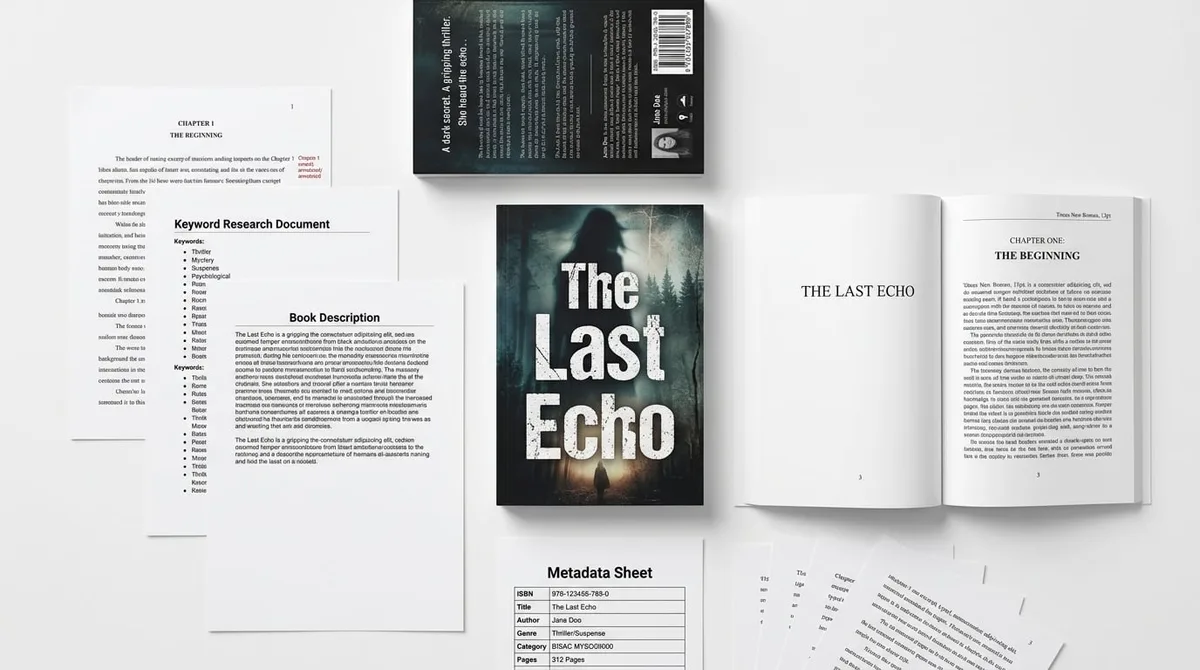
The metadata step in KDPBuilder produces a filled-in KDP listing: title, subtitle, HTML-formatted description, all 7 backend keyword slots, and category recommendations — not just a blob of text. See a finished metadata sheet: See a Complete Sample Package.
Discovery metadata vs. sales metadata
Discovery fields help Amazon understand what the book is about. The most important discovery elements are backend keywords and categories, because they support indexing and shelf placement. Sales fields influence whether a shopper clicks and buys: the title, subtitle, cover, and description must work together to make the book look credible, specific, and worth opening.
That distinction matters because a strong keyword set cannot fix a weak product page. If the concept is vague, the cover looks generic, or the interior feels thin, metadata can only amplify the mismatch. It cannot turn an unfocused book into a clear product.
Why metadata is not a shortcut for product-market fit
Think of metadata as a design system, not a hack. It should make the book easier to find and easier to understand, but it should not be asked to rescue a book that does not fit a real reader need. That is especially important in the current market, where low-effort AI publishing often produces listings that are stuffed with terms but empty in intent.
The goal is a listing that looks deliberately published, not automatically assembled. Readers notice when the title, cover, and description feel like they were built for a niche rather than generated for a search engine.
Start with the buyer promise before keywords
Before you write a title or keyword box, define the buyer promise. That means identifying who the book is for, what outcome it offers, what use case it serves, and what format makes it useful. This is the fastest way to avoid generic metadata that sounds broad but sells poorly.
- Audience: Who is the reader or buyer?
- Outcome: What does the reader want to achieve, enjoy, or solve?
- Format: Is it a workbook, coloring book, puzzle book, guide, journal, or fiction title?
- Occasion or niche: Is it for gifting, relaxation, learning, travel, retirement, holiday use, or a specialized hobby?
For nonfiction, define the transformation or problem solved. For example, a book might help first-time authors understand self-publishing basics, or help hobbyists plan meals more efficiently. For low-content and activity books, define the audience, theme, difficulty, and occasion. “Large print puzzle books for seniors” works because it combines format, audience, and product type in one phrase.
If you are still narrowing the phrase set, use the KDP Keyword Research Tool to compare alternate wording before you lock the promise into the title and backend fields.
Audience
Specify the exact reader as narrowly as the book allows. “Adults” is usually too broad. “Beginners learning watercolor” or “seniors who want easy word search puzzles” is more useful because it reveals both the person and the intent.
Outcome
State the promise in plain language. A nonfiction title should imply what the reader will learn, fix, organize, or improve. An activity book should imply what the reader will enjoy or how the book fits into a routine, gift need, or pastime.
Format
Format shapes expectations. A buyer searching for a journal does not want a workbook with dense instruction, and someone seeking coloring pages does not want a storybook. The format should be visible in the metadata so the shopper immediately recognizes the product type.
Occasion or niche
Occasion sharpens conversion. Holiday gift books, retirement activity books, travel puzzle books, and classroom resources each carry a different buying motive. The more clearly your metadata reflects that motive, the easier it is for the right reader to self-select.
How to write a KDP title that sells without stuffing
A strong title is clear, human, and market-aligned before it is keyword-rich. It should sound like a real book someone would choose, not a bundle of search phrases stitched together. If the title can only be understood as metadata, it is probably too thin.
Use the primary phrase naturally only when it fits the actual concept of the book. The title should not be padded with unrelated terms, competitor names, claims, or phrases that do not appear on the cover. KDP title fields must accurately match the book and cannot include misleading promotional language or unauthorized references.
Good KDP title formula
Use a title structure that communicates the core promise in a simple way:
- Benefit-led nonfiction: promise + audience or topic
- Audience-led activity book: audience + activity + theme
- Genre-led fiction: genre mood + central hook
- Format-led puzzle or coloring book: format + theme + audience
Examples:
- Benefit-led nonfiction: Budgeting for Beginners
- Audience-led activity book: Easy Word Search Puzzles for Seniors
- Genre-led fiction: The Lantern House Mystery
- Format-led puzzle book: Large Print Crosswords for Travel Days
These are not templates to copy word-for-word. They show how a title can be specific without becoming stuffed.
Title mistakes that make books look generated
A title starts to look machine-made when it is overloaded with descriptors, repeats the same concept twice, or crams in keywords that do not belong together. A phrase like “Easy Large Print Puzzle Book for Seniors Retirement Gifts Memory Activity Fun” feels less like a book and more like a search dump.
Avoid these mistakes:
- Using too many adjectives that add no meaning
- Repeating the same phrase in the title and subtitle
- Adding competitor names or trademarked terms
- Promising outcomes the book does not deliver
- Including keywords not visible in the cover or interior concept
A quick sanity check: if a title has to work hard to explain itself, try drafting three options in a Book Title Generator workflow first, then choose the one that reads cleanly on the cover.
When to use a subtitle
A subtitle is useful when the main title is elegant, brandable, or slightly broader than the niche. Use it to clarify audience, benefit, format, or scope. If the title already says everything, the subtitle should not restate it with different words; it should add one useful layer of clarity.
For example, a nonfiction title might be followed by a subtitle that names the audience and outcome. An activity book might use the subtitle to signal difficulty level, age group, or gift use. The subtitle should support the click, not crowd the cover.
Insider pro-tip: Write three title options and test each one against the same question: “Would a shopper understand this book in two seconds from the cover and title alone?” The best option usually wins because it is the easiest to recognize, not the most clever.
KDP backend keywords: what to put in the seven boxes
KDP backend keywords are one of the most misunderstood parts of metadata optimization. Amazon gives authors seven keyword fields in KDP, and each field should hold relevant terms that help the book surface for real reader searches. These phrases should reflect content, audience, use case, and alternate wording—not a repeat of the title pasted seven times.
A useful rule is to think in terms of search intent. If the title says “easy word search puzzle book,” the backend keywords can cover alternate phrases such as “large print puzzles,” “senior-friendly activity book,” “retirement gift puzzle book,” or “relaxing memory games.”
What belongs in backend keywords
Use phrases, not isolated random words. Focus on terms a real buyer might type, including alternate names, audience descriptors, occasion-based searches, and format variants. The goal is to broaden indexing without drifting away from the actual book.
Good keyword types include:
- Alternate phrasing: large print word search, easy puzzles for older adults
- Reader intent: relaxing activities, brain exercise book, gift for mom
- Use case: travel entertainment, retirement hobby, rainy day activity
- Audience descriptor: seniors, beginners, teens, busy adults
- Format descriptor: workbook, puzzle collection, activity book, journal
A practical example for a senior puzzle book could include phrases around large print, easy puzzles, memory activities, retirement gifts, and senior-friendly activities. That mix captures how the buyer thinks without repeating the same exact wording from the title.
What not to put in backend keywords
Do not waste space on punctuation, repeated words, or irrelevant high-volume queries. Amazon advises using relevant terms and avoiding misleading, repetitive, or unrelated keywords. That means no competitor names, no trademarked terms you do not have rights to use, and no keyword phrases that describe a different product.
For example, terms like amazon kdp cover calculator, kdp cover creator, or kdp cover size calculator belong to cover production content, not metadata for an unrelated book. If your listing is a puzzle book, those phrases do not help Amazon understand the book’s content or audience.
Also avoid “filler” space. If a phrase can be written once in a cleaner form, it should not be repeated in three slightly different versions. Seven boxes are limited, so every phrase should earn its place.
Backend keyword example for a niche book
For a large-print senior puzzle book, a keyword strategy could look like this:
| Field focus | Example phrase idea |
| Format | large print puzzles |
| Audience | senior activity book |
| Use case | relaxing brain games |
| Occasion | retirement gift |
| Content type | easy word search puzzles |
| Benefit | memory exercise book |
| Alternate wording | senior friendly activity pages |
That structure is more effective than stuffing one field with a long pile of repeated words. If you want a more systematic approach, use the KDP Keyword Research Tool to compare search intent, phrasing, and relevance before you finalize the seven boxes.
Mistakes to avoid in KDP backend keywords
| Mistake | Why it hurts | Better approach |
| Repeating the title word-for-word | Uses up limited space without expanding reach | Use alternate phrasing and related intent terms |
| Adding unrelated high-volume terms | Can confuse Amazon and attract the wrong shopper | Keep every phrase tied to the actual book |
| Using competitor or trademarked names | Creates policy and relevance risk | Describe your own product honestly |
| Stuffing keywords into one box | Reduces search variety | Spread distinct phrases across the seven slots |
Categories: choose rankable shelves, not fantasy shelves
Categories help Amazon understand where the book belongs and where it can compete. A good category choice is not just about broad visibility; it is about finding a shelf where the book is relevant enough to convert and specific enough to compete. The wrong category may create a brief spike in exposure, but if the fit is poor, readers will not buy.
Choose categories based on reader fit, competitor strength, bestseller rank ranges, and subcategory specificity. You want a shelf where your book belongs and where the competition is realistic for your niche. If the category is too broad, your book may disappear. If it is too fantasy-driven, the book may get clicks from the wrong audience.
Relevance first
Start with the actual content of the book. A coloring book for adults should not be categorized like a children’s workbook simply because the subcategory looks easier. A nonfiction guide should not be placed in a category that suggests a completely different topic.
Accurate categories support trust. Readers notice when the listing feels aligned with the book in the cover, description, and preview pages.
Rankability second
Once relevance is set, look for rankable shelves. That means checking whether the subcategory is specific enough to match your book and not so dominant that a small listing has no chance to stand out. This is where competitor research matters: look for books similar in format and audience, not just in broad genre.
If this part gets technical, use the sibling article on KDP Categories: How to Pick 3 You Can Rank In for a deeper breakdown. The key is to avoid guessing. Categories should be chosen with the same care as the title and keywords.
Consistency across the full listing
Category strategy should align with the title, subtitle, description, cover, and actual book contents. If the cover says one thing, the title says another, and the category suggests something else, shoppers lose confidence quickly. Consistency is what makes a listing feel professional.
That consistency also protects conversion. Readers are more likely to buy when every part of the page reinforces the same promise instead of competing for attention.
Book description: convert the right browser
The book description is not just a summary; it is the sales argument for the reader who is already interested enough to click. This is where you help the shopper decide whether the book solves their problem, fits their preference, or matches the gift or use case they had in mind.
Start with the problem, desire, or use case, then show what the book includes and why it is credible or useful. For activity books, include page count, format, difficulty, audience, and gift/use scenarios where appropriate. For nonfiction, include the promise, main takeaways, and who the book is and is not for.
A structured draft is easier to polish in the Book Description Generator, then you can refine the HTML so it matches the tone of the rest of the listing.
Description structure that works
A clean structure usually follows this order:
- Open with the buyer motive: problem, desire, or use case
- State the promise: what the book helps the reader do or enjoy
- List the contents: key features, chapters, puzzle types, or sections
- Clarify fit: who it is for and who it is not for
- Close with confidence: what the reader can expect from the book
For an activity book, a description might note that it includes easy puzzles, large print pages, or a travel-friendly format. For nonfiction, it should mention practical takeaways and the exact reader level. Clear specifics outperform vague praise.
HTML formatting for readability
Good formatting helps the description scan cleanly on a product page. Short paragraphs, bold emphasis, and simple structure make the page easier to read. Keep the formatting tidy and useful; the point is readability, not decoration.
If you need a repeatable structure, use a book description generator to shape the draft, then edit it until it sounds human and specific. If you want more control over layout, review the sibling article on Amazon Book Description HTML That Converts so your formatting stays clean.
Description mistakes that lower trust
Do not use hype, false scarcity, unverified claims, or robotic AI phrasing. Phrases that sound inflated or generic can make the book feel less credible, even if the interior is strong. The description should sound like a thoughtful editor wrote it for a real reader.
Avoid these patterns:
- Empty superlatives with no proof
- Claims the book cannot honestly support
- Repeated keywords that read like spam
- Overly generic lines that could fit any book
- Descriptions that sound copied from a template without revision
How metadata, cover, and interior work together
KDPBuilder’s brand position is simple: stop publishing books that look generated; build books that look designed. That matters because shoppers do not evaluate metadata in isolation. They scan the search result, then the cover, then the description, then the preview pages to see whether everything matches.
In seconds, the buyer is asking whether the title, cover, description, and interior promise the same experience. If the metadata is polished but the cover is generic or the interior feels like filler, the listing may get clicks but lose sales or reviews. The book has to feel complete.
The click path: search result to product page
The click path usually looks like this: a shopper types a query, sees your title and cover, opens the product page, reads the description, then inspects the preview. At each step, the listing either builds confidence or creates doubt.
That is why metadata should not be treated as a separate task from production. The title should reflect the cover concept. The subtitle should support the promise. The description should match the interior’s actual value. When those pieces align, the product feels intentional.
Why professional packaging beats keyword tricks
People often search for production tools such as kdp cover calculator, amazon book cover calculator, and kdp cover creator, which shows how often authors separate metadata from design. But the buyer never experiences them separately. They see one product page. If the page feels assembled from disconnected parts, the listing loses momentum.
That is why polished metadata is not enough by itself. Strong packaging means the idea, cover, interior, and listing all reinforce one another. If you want to see how that looks in practice, see a complete sample package before finalizing your own launch materials.
KDP metadata optimization checklist
- Title is accurate, readable, and aligned with the cover.
- Subtitle adds benefit, audience, format, or differentiation without keyword stuffing.
- Backend keywords cover alternate phrases, buyer intents, and niche descriptors not already overused elsewhere.
- Categories are relevant and realistically competitive.
- Description explains who the book is for, what it includes, and why it is worth buying.
- All claims are truthful, policy-safe, and consistent with the manuscript and interior.
- Metadata is reviewed after launch using impressions, clicks, conversion, and sales rank movement.
Use this checklist before publishing and again after the book has real data. Metadata is not set-and-forget; it should be adjusted when the evidence shows a better fit is available.
One more practical note: Amazon KDP paperback royalties are commonly calculated as 60% of list price minus printing costs for standard distribution, while expanded distribution uses a lower royalty basis. That means metadata should be planned alongside pricing and production quality, because a stronger listing is only useful if the overall package still makes sense for the business side of the book.
FAQ
What is KDP metadata optimization?
It is the process of improving the title, subtitle, backend keywords, categories, and description so Amazon can index the book correctly and shoppers can quickly understand the offer. The goal is better discoverability and clearer conversion, not keyword stuffing or misleading positioning.
What should I put in KDP backend keywords?
Use relevant phrases that reflect the book’s content, audience, use case, and alternate wording. Think in terms of what the buyer searches for, such as format descriptors, audience terms, and niche intent, rather than repeating the title or adding unrelated keywords.
Should I repeat my title words in Amazon KDP keyword boxes?
Usually no, unless a variation is truly useful for search. Repeating the exact title words wastes limited space and does not add much indexing value. Use the boxes for alternate phrases, reader intent, and niche descriptors that are not already covered elsewhere.
How many categories can I choose for a KDP book?
KDP category options can vary by marketplace and over time, and Amazon may let you request additional categories in some cases. The practical rule is to choose the most relevant and competitive categories available for your book, then make sure they match the title, description, and actual content.
Can I change my KDP metadata after publishing?
Yes, you can usually update metadata after publication, including title elements, keywords, categories, and description, as long as the changes still comply with Amazon’s rules. It is smart to revise based on real performance data, but keep every update truthful and consistent with the manuscript and cover.
Do backend keywords matter more than the book description?
They serve different roles. Backend keywords help Amazon index the book for relevant searches, while the description helps convert the shopper who already landed on the page. Both matter, but the description often has the stronger influence on whether a browser becomes a buyer.
Turn the checklist into a finished listing
Do not optimize all seven fields in isolation. Start with the promise, test the title, build the keyword set around real buyer language, choose categories that match the book, and then write a description that proves the product is worth the click.
For a simple next step, use the free tools to tighten one piece of the listing at a time: start with the Book Title Generator, compare the phrasing with the KDP Keyword Research Tool, and then shape the page with the Book Description Generator. If you want to see the full workflow before building your own launch materials, try KDPBuilder free.
Turn this idea into a book — free sample
Type a book idea and we'll generate a real cover preview in about a minute. No signup, no card.