
KDP Metadata Sample
A complete listing kit built with KDP Builder — title, subtitle, description, seven keywords, and category ideas you can adapt to your own book.
Sample images
What was created
This sample shows the metadata side of a publishing package: the words that help a book get found and convert browsers into buyers. Alongside the manuscript and cover, KDP Builder drafts a title, subtitle, marketing description, a set of backend keywords, and category suggestions.
The example below is for High Plains Mercy, a modern western thriller, but the same fields apply to any book type. Everything here is a starting draft you should review and tailor before publishing.
Who this book type is for
- Publishers who struggle with titles, descriptions, and keywords
- Sellers who want a consistent listing process across titles
- Creators optimizing discoverability for a niche
- Anyone who wants a head start on the KDP listing form
Common use cases
- Drafting a listing before you upload
- Refreshing the metadata on an existing book
- Brainstorming keyword and category angles
- Keeping titles and descriptions consistent across a series
What KDP Builder generated
Title & subtitle
A clear, search-aware title and a benefit-driven subtitle.
Marketing description
A reader-facing description that explains the value of the book.
7 backend keywords
Keyword ideas to fill the seven slots on the KDP listing form.
Category ideas
Suggested browse categories to consider for placement.
Consistent voice
Metadata that matches the tone of the book and cover.
Editable text
Plain-text output you can refine before publishing.
Example listing (sample)
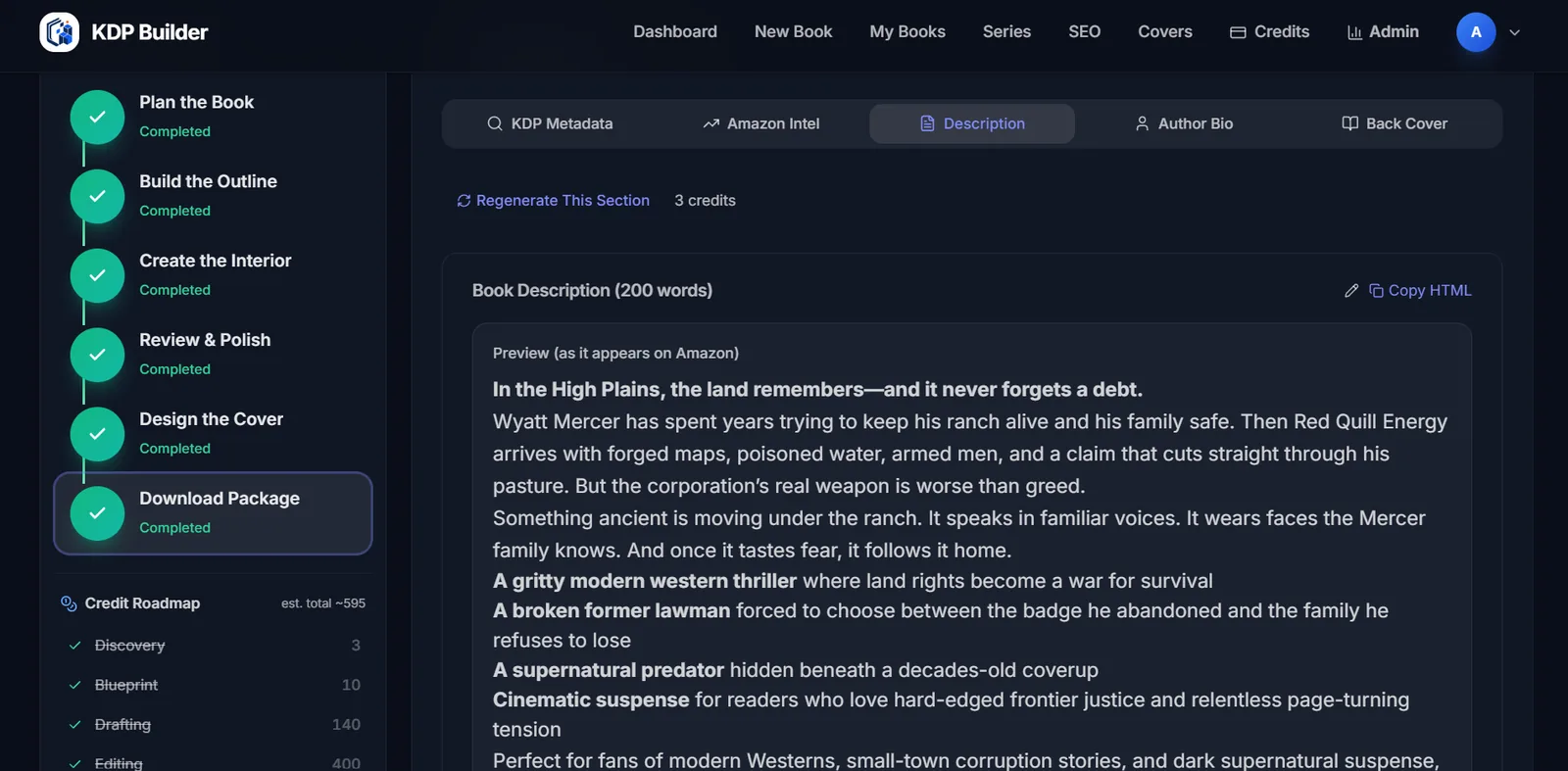
In the High Plains, the land remembers — and it never forgets a debt. Wyatt Mercer has spent years trying to keep his ranch alive and his family safe. Then Red Quill Energy arrives with forged maps, poisoned water, armed men, and a claim that cuts straight through his pasture. But the corporation's real weapon is worse than greed. Something ancient is moving under the ranch — and once it tastes fear, it follows it home.
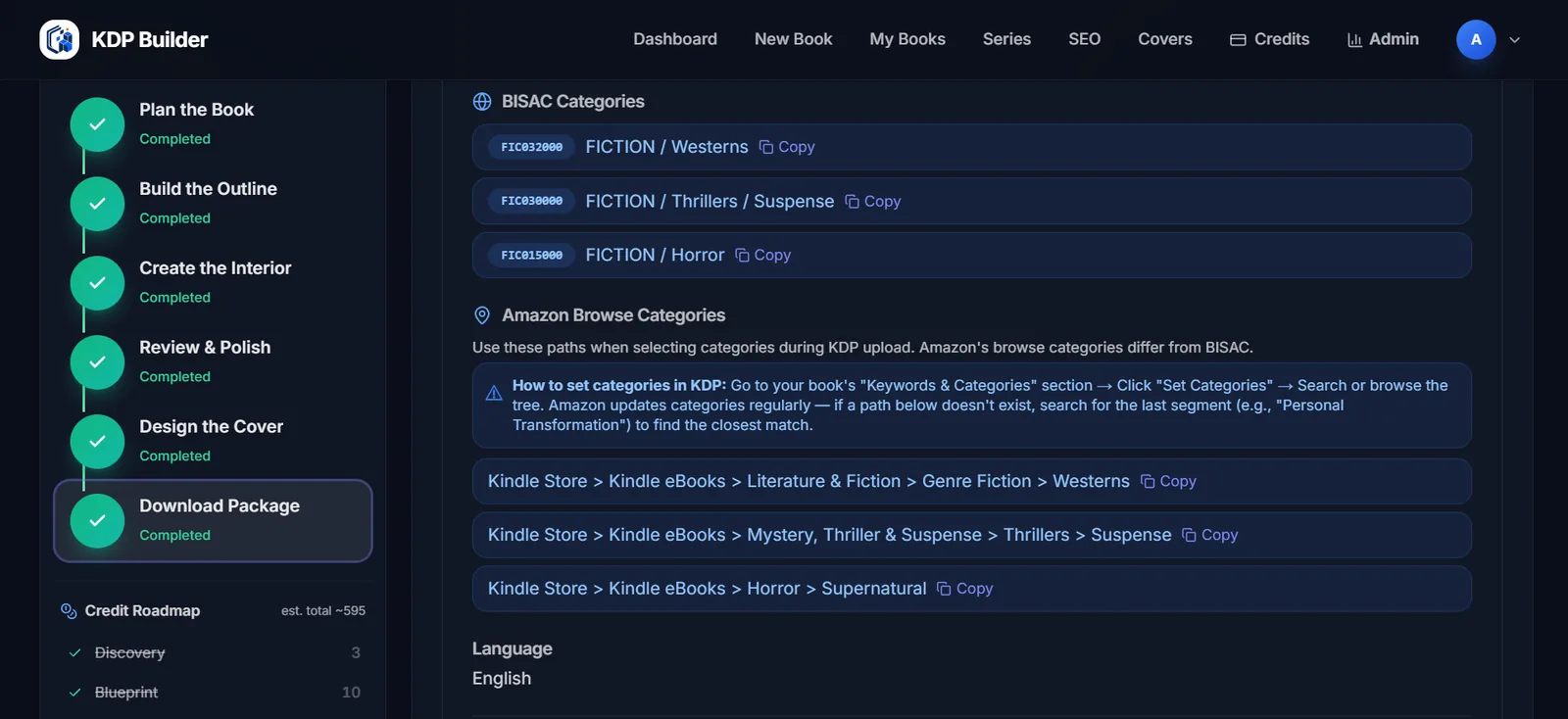
- Fiction > Westerns
- Fiction > Thrillers > Suspense
- Fiction > Horror
Example values for illustration only. Keyword and category availability changes over time, and you should review every field against Amazon KDP's current guidelines before publishing.
What files would be included
| File | What it's for |
|---|---|
| metadata.txt | Title, subtitle, description, keywords, and category ideas |
| keywords.txt | The seven backend keyword suggestions on their own |
| description.html | Formatted description ready to paste into the listing |
Exact file set depends on book type and the options you choose. Final upload readiness always depends on Amazon KDP's own review — no tool can guarantee approval.
Create a project like this
Start free with 75 credits — no credit card required. Generate your own version and download an upload-ready package.
Related creators & tools
Frequently asked questions
What is KDP metadata?
Metadata is the listing information for your book — title, subtitle, description, keywords, and categories. It's how readers find and evaluate your book on Amazon.
Are the keywords guaranteed to rank?
No. Keywords are suggestions to help discoverability, but ranking depends on competition, demand, and many factors outside any tool's control. We do not fabricate search-volume numbers.
Can I edit the metadata?
Yes — and you should. The output is editable plain text. Always review and tailor it to your book and to Amazon KDP's current guidelines before publishing.
Is this a real published listing?
No. This is an example created to show the metadata format. For real books made with KDP Builder and published on Amazon, see the Examples hub and the Showcase. KDP Builder is not affiliated with or approved by Amazon.
How many keywords does KDP allow?
Amazon KDP provides seven backend keyword slots. The sample fills all seven so you can see how a full set looks.
Does good metadata guarantee approval or sales?
No. Metadata helps discoverability, but Amazon makes the final review decision and sales depend on many factors. No tool can guarantee approval or results.