
Full-Wrap Cover Sample
A print-ready paperback wrap built with KDP Builder — front, spine, and back laid out as one PDF and sized to the page count.
Sample images

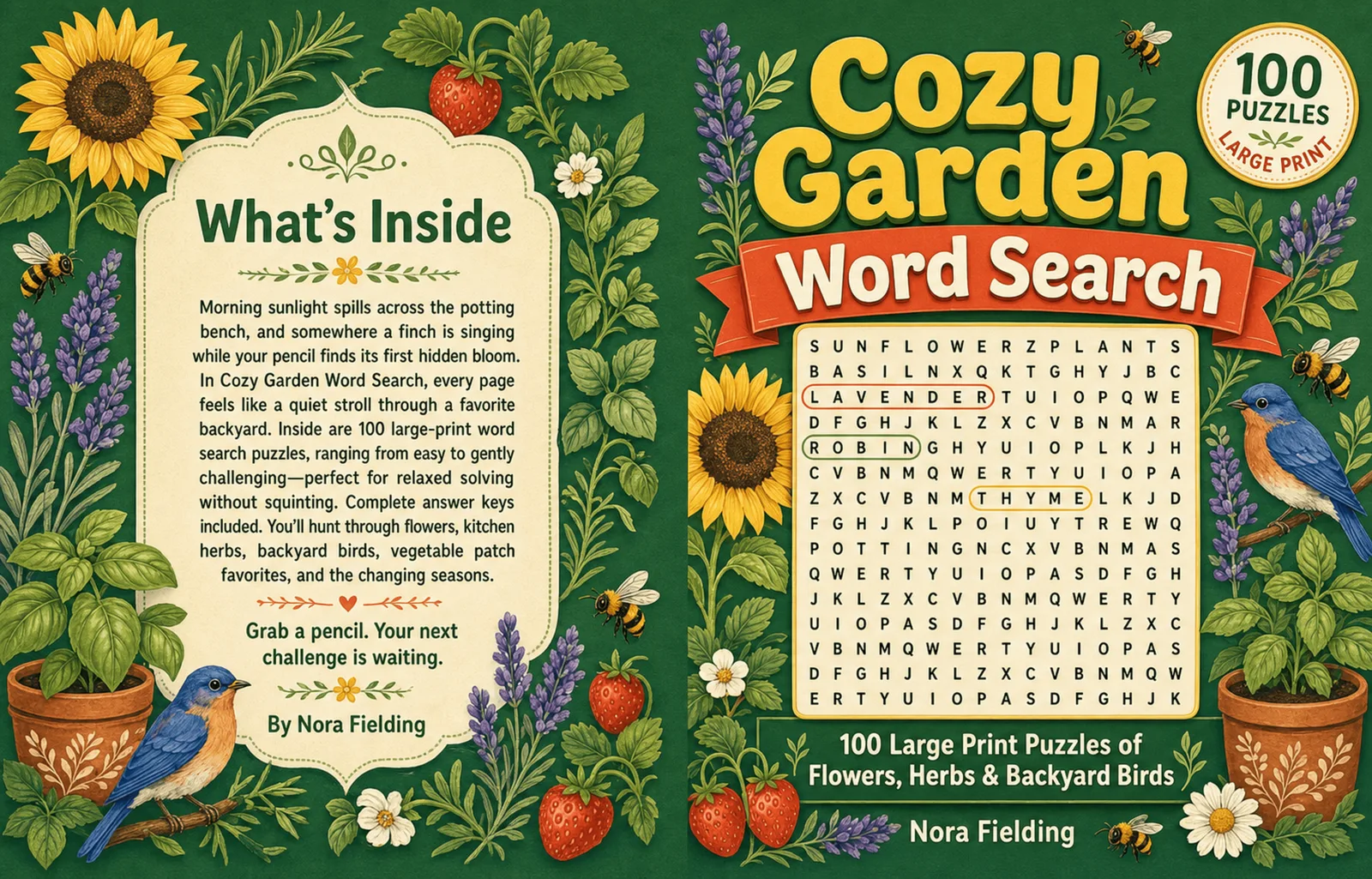

What was created
This sample shows a full paperback cover wrap: the back cover, spine, and front cover arranged as a single layout. The spine width is calculated from the page count and paper type, and the whole wrap includes the bleed and safe margins a printer expects.
Unlike a front-only thumbnail, a full wrap is what you actually upload for a paperback. KDP Builder builds the front design, then expands it into the complete wrap once your interior page count is known.
Who this book type is for
- Authors who have a manuscript and need a matching paperback cover
- Creators who want a cohesive front, spine, and back
- Sellers producing a series with a consistent cover system
- Anyone unsure how to size a spine and bleed correctly
Common use cases
- Paperback wraps for fiction, nonfiction, and low-content books
- Hardcover case wraps with the correct wrap and hinge allowances
- Series covers that share a template across titles
- Refreshing an existing book with an updated cover
What KDP Builder generated
Front cover design
A themed front cover with title and author typography.
Spine
Spine width calculated from page count and paper, with title text when wide enough.
Back cover
A back panel with space for blurb, and a barcode area for KDP.
Bleed & safe margins
The full wrap built with print-safe bleed and margins.
Single print-ready PDF
Front, spine, and back exported as one upload-ready file.
Front-cover image
A standalone front image for store thumbnails.
What files would be included
| File | What it's for |
|---|---|
| paperback-cover.pdf | Full front/spine/back wrap, print-ready |
| hardcover-cover.pdf | Case wrap with wrap, hinge, and overhang allowances |
| cover-front.png | Standalone front-cover image for thumbnails |
| cover-spec.txt | Trim, page count, spine width, and bleed used for the wrap |
Exact file set depends on book type and the options you choose. Final upload readiness always depends on Amazon KDP's own review — no tool can guarantee approval.
Create a project like this
Start free with 75 credits — no credit card required. Generate your own version and download an upload-ready package.
Related creators & tools
Frequently asked questions
What is a full-wrap cover?
A full wrap is the single file that contains the back cover, spine, and front cover together. It is what you upload for a paperback or hardcover, unlike a front-only image.
How is the spine width calculated?
Spine width comes from your page count and paper type. KDP Builder calculates it and only adds spine text when the spine is wide enough to print it cleanly.
Does it include bleed and safe margins?
Yes. The wrap is built with the bleed and safe margins printers expect, so artwork extends past the trim and text stays inside the safe zone.
Is this a real published cover?
No. This wrap is a demonstration build created to show output quality. For real books made with KDP Builder and published on Amazon, see the Examples hub and the Showcase. KDP Builder is not affiliated with or approved by Amazon.
Will my cover pass Amazon's review?
KDP Builder helps you prepare a correctly-sized, print-ready wrap, but Amazon KDP makes the final review decision. No tool can guarantee approval.
Can I do a hardcover wrap too?
Yes. Hardcover case wraps need extra wrap, hinge, and overhang allowances, and those are accounted for when you choose the hardcover format.