Planner Creator Tool for KDP Workbooks
Skip the theory? Generate a free book preview in about a minute — no signup, no card.
Try it freeMost planner books do not fail because the idea is bad. They fail because the interior is not built for print. A planner creator tool should solve that problem before you waste hours on page design, trim math, or a cover wrap that does not line up in KDP's previewer.
In June 2026, the market is crowded with generic low-content books, and Amazon is much less forgiving of thin concepts. Buyers want planners and workbooks that solve one specific job: meal planning for diabetics, lesson planning for homeschool parents, client onboarding for coaches, ADHD weekly tracking, or sermon notes for church groups. If your planner looks like everyone else's, it gets buried. If it speaks to one buyer with one clear use case, it can still win.
Definition: a planner creator tool is software that helps you generate a print-ready planner interior, matching cover wrap, and keyword-focused metadata from one niche idea, so you can create workbook for KDP without manually building every page from scratch.
What a planner creator tool must do in 2026
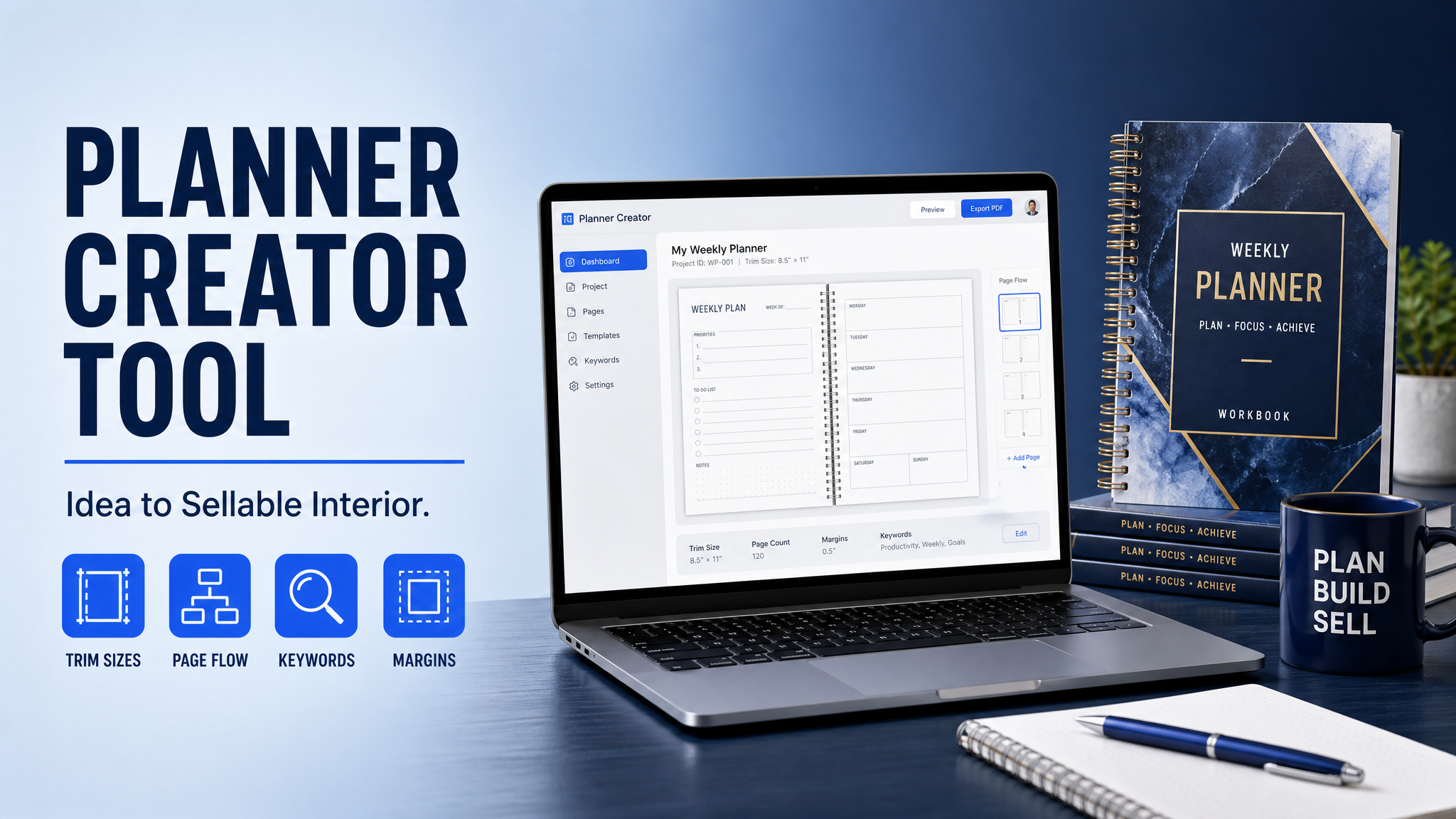
Do not judge a tool by how pretty the mockup looks on screen. Judge it by whether it helps you ship a KDP-compliant book. For planners and workbooks, that means the tool must understand page flow, binding-safe margins, trim sizes, and cover dimensions. It should also support different book types, because a planner for yoga studios needs different page logic than a workbook for business coaching or a journal for gratitude practice.
- Niche-first structure: the layout should match a buyer problem, not a generic template.
- Trim-size awareness: 6 x 9, 8.5 x 11, and other common planner formats should be easy to produce.
- Print-safe spacing: margins, bleed, and gutter allowance should be baked in.
- Cover consistency: the cover wrap should match interior page count and trim exactly.
- Metadata support: title, subtitle, description, and backend keywords should align with the niche.
This is where KDP Builder stands out. Instead of treating the planner like a design exercise, it treats it like a publishing project. You move through a 6-phase pipeline: Discovery → Writing → Editing → Design → Covers → Publishing. That matters because the best-selling planners are not just attractive; they are structurally correct, keyword-aligned, and fast to proof.
If you already have a niche idea, open Planner Creator and start from the buyer's use case instead of staring at a blank page in Canva.
Why workbook and planner publishing still works in June 2026
There is a reason experienced KDP publishers still build planners and workbooks: they are utility products. Buyers do not purchase them for entertainment. They buy them to solve a recurring problem, track a goal, or organize a process. That gives you a clear angle, and clear angles rank better than vague ones.
Here is the current reality. Generic daily planners are saturated, but niche utility books still have room. In 2026, Amazon search is even more intent-driven than it was two years ago. Buyers are typing longer phrases, and Amazon's recommendation engine is rewarding books that match a very specific use case. So the opportunity is not in making another pretty blank planner. The opportunity is in making a planner that feels designed for one buyer.
KDP economics also matter. Amazon KDP pays 60% of list price minus printing costs on paperback and hardcover, and 70% royalty on eligible ebooks priced between $2.99 and $9.99 in supported territories, otherwise 35%. That is why planners and workbooks often price better than a low-content journal with no clear value proposition. You are not chasing penny margins; you are building a product with enough perceived utility to support a healthier list price.
Two more KDP facts matter for planner publishers. First, if your interior includes bleed, the artwork must extend 0.125 inches beyond the trim edge or you risk white slivers in print. Second, KDP gives you seven backend keyword fields, and each one should be used for a distinct phrase instead of duplicate terms. In other words, your metadata should do real work, not repeat the same keyword in different forms.
How to create workbook for KDP without guessing
If you want to create workbook for KDP that actually sells, do not begin with page decoration. Begin with buyer intent, page architecture, and price logic. This is the framework I use when I build planners, journals, and workbooks for niche audiences.
- Choose one buyer and one job. A teacher planner, a client tracker, and a gratitude journal are three different products. Do not blur them together. Pick one buyer who will use the book weekly or daily.
- Mine the market before you design. Use Amazon search suggestions, competitor titles, and category browsing to find the exact words buyers already use. KDP Builder's Amazon Intel helps with real-time keyword mining and competitor analysis, so you can validate demand before you build pages.
- Define the page flow. Decide whether the book is undated, dated, monthly, weekly, or mix-and-match. A workbook needs prompts and exercise pages. A planner needs calendars, trackers, or task blocks. A hybrid book needs clear transitions.
- Build the interior for print, not for screen. Keep margins consistent, use 300 DPI assets, and avoid tiny decorative lines that disappear when printed. In KDP, what looks fine on a laptop can shift once the file is bound.
- Create the cover and interior together. The page count affects the spine width, which affects the cover wrap. If you change the interior after the cover is built, you can break the whole file.
- Check the previewer like a publisher. Look for shifted page numbers, clipped borders, reversed spreads, and low-contrast elements. The KDP previewer is often where thin mistakes become obvious.
- Price for perceived value. A niche planner with a strong promise can usually support a higher list price than a generic notebook. Price is not just math; it is positioning.
When you need a faster page architecture pass, try Workbook Creator. It is especially useful when you are turning a course, coaching framework, or subject-matter outline into a workbook template KDP can accept without endless manual layout work.
Workbook template KDP: the pages that actually convert
A workbook template KDP buyers can use must feel purposeful from the first page. The best workbooks are not packed with filler prompts. They are sequenced like a coaching session or lesson plan. Every page should move the user toward a result.
- Title page: clear promise, not vague branding.
- How to use this book: 1 page maximum, written in plain language.
- Goal-setting spread: one page for the outcome, one page for milestones.
- Exercise pages: space for writing, reflecting, or solving a task.
- Tracker pages: habits, progress, or checkpoints for repeat use.
- Notes or reflection pages: valuable, but do not overdo them.
For planners, the highest-converting structures are usually monthly overview, weekly spread, habit tracker, priority list, and note pages. For workbooks, the highest-converting structures are lesson objective, guided exercise, reflection prompt, and next-step action page. The rule is simple: every spread must either help the user decide, do, track, or reflect.
If you are unsure which low-content format fits your niche, Low-Content Book Creator helps you compare planners, journals, notebooks, and workbooks inside one publishing flow, so you can choose the right structure before you upload.
Printable planner publishing: the KDP traps to avoid
Printable planner publishing sounds simple until you hit the details Amazon checks. The biggest mistakes are almost always mechanical, not creative. The interior is the wrong size, the cover spine is off by a few millimeters, or the file was exported with margins that look fine onscreen but fail in print.
Here are the most common reasons planner books get rejected or come out badly on KDP:
- Cover wrap mismatch: the spine width does not match the final page count.
- Wrong trim size: the manuscript file was built for 8.5 x 11 but uploaded as 6 x 9.
- Low-resolution artwork: anything under 300 DPI can blur in print.
- No bleed allowance: full-bleed elements stop at the trim line instead of extending past it.
- Tiny borders and hairline rules: thin lines can vanish or band in print.
- Unreadable grayscale: light gray text can look nice on a screen and disappear on paper.
There is also a dashboard quirk worth knowing: KDP can remember the last trim size you used, so if you are uploading several books in a row, it is easy to select the wrong one by mistake. That one error can make a perfect PDF look broken during preview. Experienced publishers verify the trim size, page count, and cover calculator every single upload instead of trusting the memory of the dashboard.
Most low-content rejections are not about creativity at all. They happen because the interior PDF, the selected trim size, and the cover wrap are slightly out of sync. If those three numbers do not match exactly, the previewer will expose it.
Pricing sweet spots for planners and workbooks
Pricing is where a lot of new publishers leave money on the table. The trick is to price based on perceived utility and page count, not just printing cost. For a black-and-white planner in 6 x 9, a list price between $8.99 and $11.99 is often a strong starting range. For a larger 8.5 x 11 workbook with heavier value, $12.99 to $16.99 is often more realistic. Premium hardcover planners can go higher if the niche and branding justify it.
Here is the practical rule I use: if the product saves time, reduces stress, or organizes money, the buyer will tolerate a higher price. If it is a generic notebook, the market will force you downward. That is why niche specificity matters more than page count. A 120-page ADHD planner can outperform a 200-page generic journal simply because the promise is sharper.
When you are testing price, launch with a range, not a guess. Upload, watch conversion, and adjust after you have real data. KDP Builder's free KDP Royalty Calculator helps you estimate your net before you commit to a list price, which is useful when printing costs and page count are moving your margin.
Before vs after: manual build versus KDP Builder
Before: you piece together the niche in one app, design the interior in another, manually calculate the spine in a third tool, write the description from scratch, then discover your backend keywords are repetitive and your cover bleed is off. One bad export means the whole project stalls for a day or more.
After: KDP Builder moves the project through one pipeline. Discovery validates the niche, Writing helps frame the promise, Editing tightens the copy, Design builds the interior, Covers generates a wrap-safe cover at 300 DPI, and Publishing aligns the metadata before upload. You spend less time fixing technical errors and more time choosing profitable subtopics.
The biggest hidden win is speed. A manual planner build can eat an entire weekend. A guided build can get you from idea to upload-ready draft in a fraction of that time, especially if you start with a proven layout instead of inventing a new one every time.
A practical launch checklist for today
If you want to move from idea to published planner this week, use this checklist before you upload:
- Confirm the niche: one buyer, one problem, one use case.
- Check search intent: make sure the words people search match the words in your title and subtitle.
- Pick the trim size: 6 x 9 for compact use, 8.5 x 11 for roomy writing space, or another common planner format that fits the buyer.
- Set margins and bleed: build with print-safe spacing from the beginning.
- Export at 300 DPI: especially for lines, icons, and cover art.
- Generate the cover wrap: do this after the final page count is locked.
- Fill all metadata fields: title, subtitle, description, and all seven backend keyword fields.
- Preview every page: spot-check the first, middle, and last third of the book.
- Price deliberately: test a range that fits the niche, not a random number.
One more advanced tip: do not waste backend keyword space on singular-plural duplicates or obvious repeats of your title. KDP already has the title, subtitle, and description to read. Use the seven keyword fields for alternate buyer phrases, use cases, and problem-language that your title does not already cover.
That is also where Amazon Intel becomes useful. When you can see competitor patterns and keyword clusters before you publish, you stop guessing which phrases are too broad, too weak, or too competitive.
What high-performing planner books look like in 2026
The planner books winning in 2026 are not the prettiest ones. They are the clearest. They promise one result, use one visual system, and make the buyer feel like the book was designed for them. The niche may be narrow, but the demand can be surprisingly durable when the book solves a recurring task.
- Faith-based planners: prayer, scripture, and sermon tracking.
- School and homeschool planners: attendance, lesson planning, reading logs.
- Business workbooks: onboarding, lead tracking, workshop exercises.
- Health planners: meal logs, symptom trackers, wellness journaling.
- Skill-building workbooks: language study, exam prep, habit formation.
The more precise the promise, the easier it is to write a description, choose categories, and build a cover that converts. That is why a planner creator tool is not just a layout utility. It is a positioning system. It helps you decide what the book is really for, and in KDP, clarity usually outruns decoration.
When you are ready to publish your first planner, start with the simplest profitable version of the idea. Do not try to build the master edition first. Make the minimum version that solves the problem well, test the listing, then expand into companion editions or series once the keyword data proves demand.
Use KDP Builder's 75 free credits to draft your first interior, cover, and metadata set without a credit card. If you want a fast start, create your first planner in under 10 minutes and move from blank page to publishable draft with a file that is built for Amazon, not just for a screen.
Turn this idea into a book — free sample
Type a book idea and we'll generate a real cover preview in about a minute. No signup, no card.